

Support teams answer the same questions many times a day. A WhatsApp bot flow in WapBlaster can handle those FAQs automatically and pass everything else to an agent. This guide shows how to build one for support.
Step 1: Start a support bot flow
Open the bot flow builder and create a flow focused on your most common support questions, such as order status or returns.
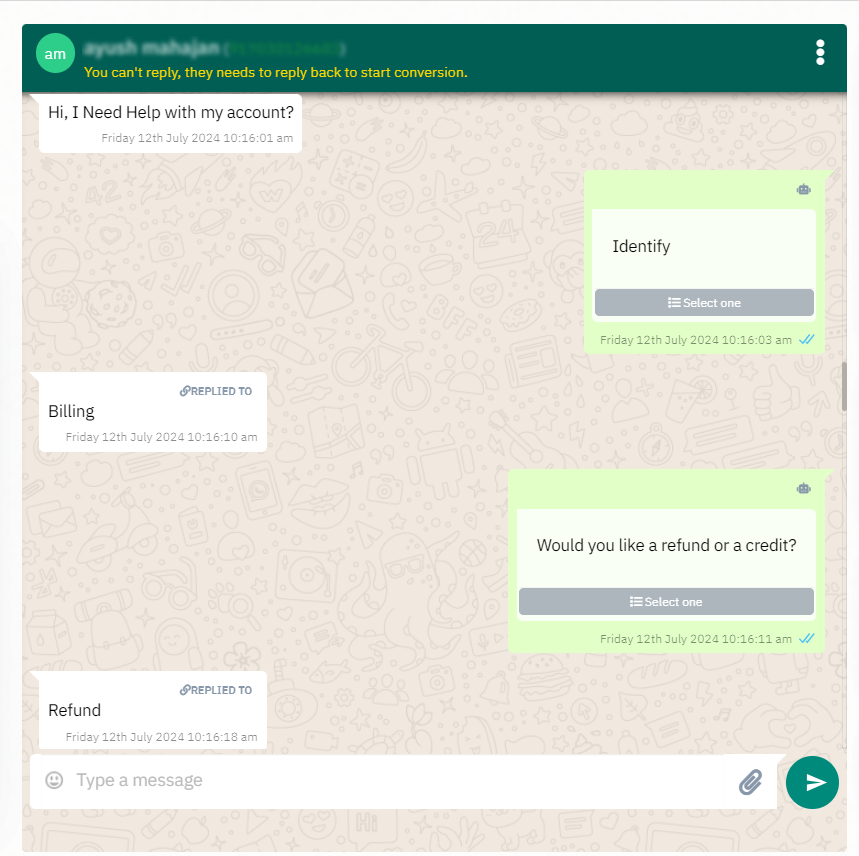
Step 2: Add the top questions
Add the questions customers ask most, with clear, approved answers, so the flow resolves them without an agent.
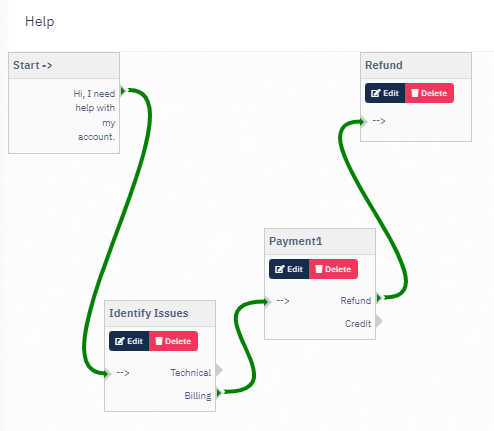
Step 3: Branch to the right answer
Branch the flow so each choice leads to the correct answer or next step, keeping the conversation short and helpful.
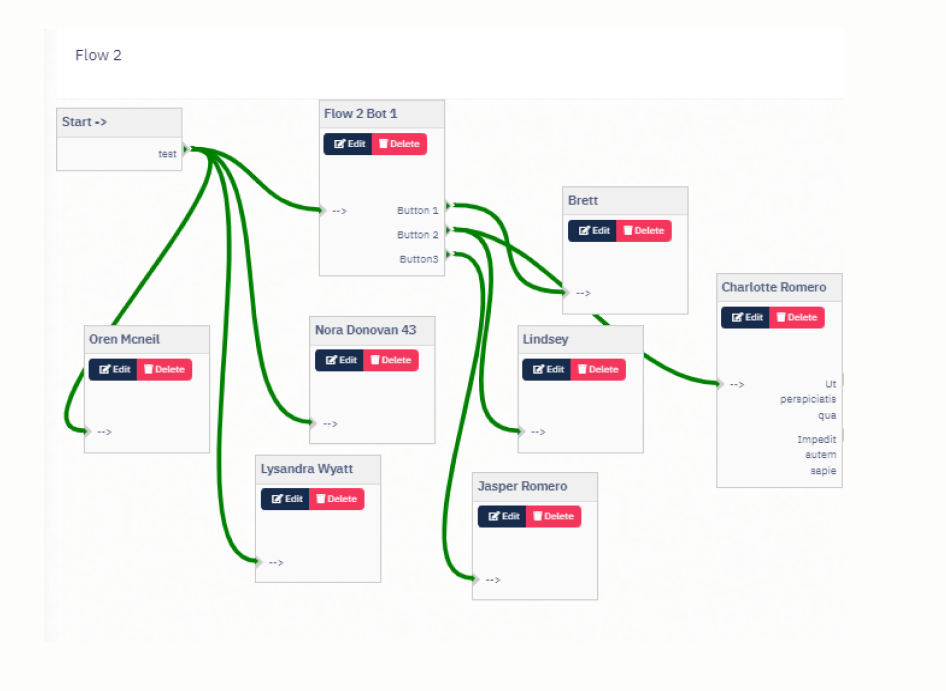
Step 4: Escalate to a human
Add a clear path to a human agent for anything the flow cannot resolve, so customers never feel stuck.
Step 5: Review what to automate next
Look at which questions still reach agents, and add the repeatable ones to the flow over time.
Helpful next reads
How to build a no-code bot flow, WhatsApp customer support guide, WhatsApp chatbot best practices.
Frequently asked questions
Can a bot flow answer support FAQs automatically?
Yes. A WapBlaster bot flow can resolve common questions such as order status or returns automatically, and escalate anything it cannot handle to an agent.
Will customers still be able to reach a human?
Yes. A good support flow always includes a clear path to a human agent for questions it cannot resolve, so customers never feel stuck.
How do I decide what to automate?
Review the questions that still reach your agents, then add the repeatable, clearly answerable ones to the flow over time.