

TradeIndia WhatsApp Follow-Up: A Compliant Campaign Playbook That Converts
A single WhatsApp message rarely closes a B2B enquiry. TradeIndia buyers often compare suppliers, wait for internal approvals, or need one more detail before deciding. A structured follow-up keeps your business in the conversation without becoming a nuisance. Done well, it increases replies and quotes; done badly, it gets your number blocked.
This playbook assumes you have already moved your TradeIndia enquiries into WapBlaster. If you have not, start with the TradeIndia lead automation guide, which explains importing leads, sending a compliant first reply, and giving each lead an owner.
Segment before you schedule anything
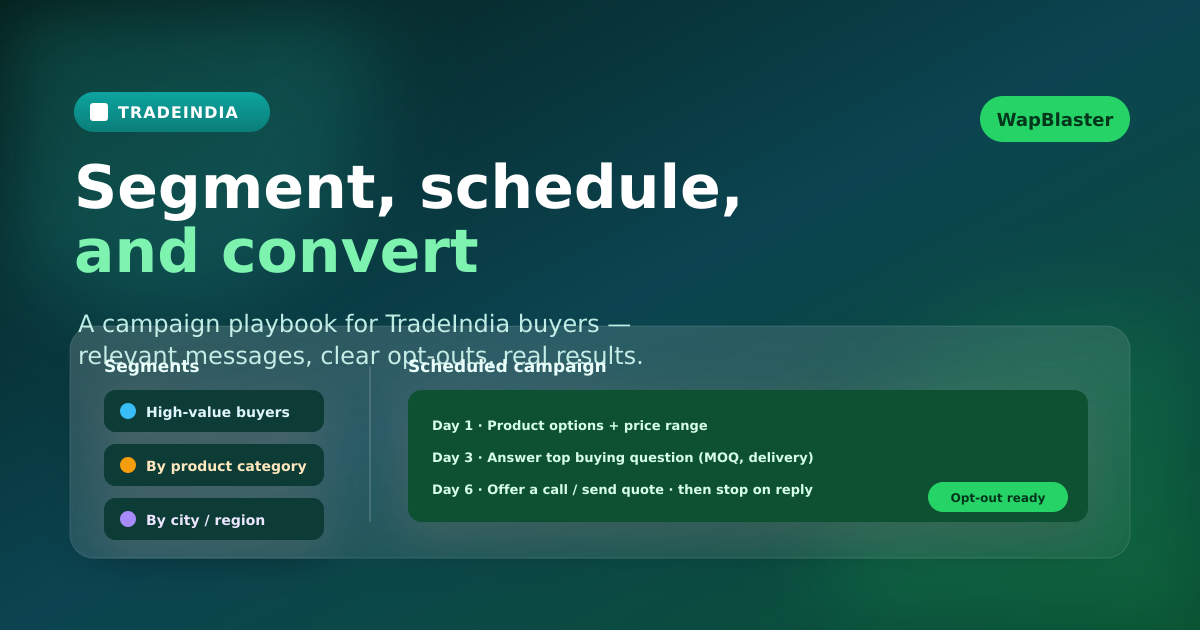
Not every buyer deserves the same messages. Use the labels and fields you captured at import to build segments that make your follow-ups relevant:
- By product category, so the content matches what they asked for.
- By order size or value, so high-value buyers get faster human attention.
- By city or region, for delivery, pricing, or language differences.
- By status, so a buyer who already received a quote does not get an introductory message again.
Segmentation is what separates a helpful sequence from a spray-and-pray blast. WapBlaster contact groups and labels make these segments easy to maintain.
Design a short, value-led sequence
Each message should give the buyer a reason to reply. A practical three-touch structure works for many suppliers — adjust the timing to your sales cycle:
Day 1: product options and price range
Share the most relevant product option and an indicative price range or catalogue link. Ask one qualifying question to move the conversation forward.
Day 3: remove the main buying blocker
Answer the question buyers most commonly ask before ordering: minimum order quantity, delivery coverage, customization, samples, warranty, or payment terms. Tailor this by product category where you can.
Day 6: offer a human conversation, then stop
Invite a call, a quotation, or a final confirmation of specifications. If there is no response and no active opportunity after this, stop the automated sequence. Silence after a respectful sequence is an answer.
Use approved templates and honour consent
Business-initiated WhatsApp messages must follow the WhatsApp Business Platform rules, including template approval and quality standards. Write templates that accurately describe the message, keep them relevant to the original enquiry, and always offer a clear way to opt out. WapBlaster helps you run template-based campaigns, but your team is responsible for relevance and permission.
Marketplace enquiry data is not blanket permission for unrelated marketing. Keep TradeIndia follow-ups tied to the buyer's stated interest. This is both good compliance and good conversion.
Schedule campaigns to the right group
Point each scheduled campaign at a specific segment rather than your whole list. WapBlaster's WhatsApp broadcast tools let you send to opted-in groups, and automation can move a contact out of the nurture sequence the moment they reply or a salesperson takes over. For richer opening interactions, combine campaigns with a WhatsApp chatbot that qualifies replies automatically.
Set explicit stop conditions
- Stop when the buyer replies and an owner takes the conversation.
- Stop when the lead is marked won, lost, invalid, or not a fit.
- Pause generic follow-ups once a quote, sample, or meeting is arranged.
- Honour opt-outs immediately and update the contact.
Track conversion, not just delivery
Measure replies, qualified conversations, quotes issued, and orders — not just messages delivered. If a message is delivered but generates no useful replies, it is probably too generic or poorly timed. Improve one variable at a time: a sharper qualifying question, a more relevant resource, or better timing.
Frequently asked questions
How many WhatsApp follow-ups should a TradeIndia lead get?
Use a short, value-led sequence — often three touches — matched to your sales cycle, and stop as soon as the buyer replies, converts, declines, or opts out.
Can WapBlaster schedule follow-up campaigns for TradeIndia leads?
Yes. After importing leads into a contact group, you can schedule campaigns to that segment and use automation to remove contacts who reply or convert.
How do I keep TradeIndia follow-ups compliant?
Use approved templates, keep messages relevant to the original enquiry, provide a clear opt-out, and follow the current WhatsApp Business Platform messaging policy.
Should every lead get the same messages?
No. Segment by product, value, region, and status so each buyer receives relevant content and no one gets a repeat of a stage they have already passed.
Build a TradeIndia follow-up that buyers welcome. Create your WapBlaster account or contact the team to plan your campaigns.