

Cash on delivery still drives a huge share of Indian e-commerce, and it comes with an expensive problem: returns to origin (RTO). Orders placed on impulse, by mistake, or with wrong details get refused at the door — and you pay forward and reverse shipping for zero revenue. Confirming every COD order on WhatsApp before you ship is one of the highest-ROI automations you can run.
This guide shows how to set up automated COD confirmation that filters out fake and low-intent orders without annoying genuine buyers.
Why COD orders turn into RTO
Understanding the causes tells you what to fix.
- Impulse or accidental orders: the customer changes their mind before delivery.
- Fake or malicious orders: wrong numbers or competitors placing junk orders.
- Wrong details: incomplete address or unreachable phone number.
- Delivery timing: nobody home, no follow-up, parcel returned.
How WhatsApp COD confirmation works
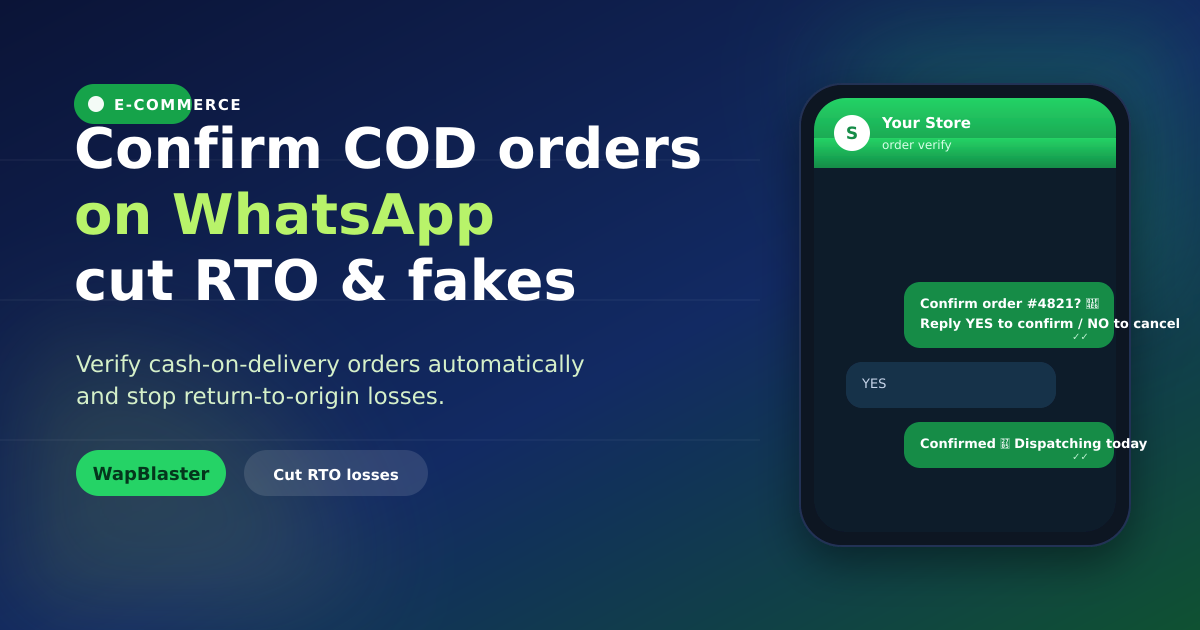
The moment a COD order is placed, an automated WhatsApp message asks the customer to confirm. Because WhatsApp open and reply rates dwarf SMS and email, you get a fast, clear signal of intent before you spend on shipping.
- Order placed → automated confirmation message fires within seconds.
- Customer taps Confirm or Cancel using interactive buttons.
- Confirmed orders flow to fulfilment; unconfirmed ones get a reminder or hold.
Design a confirmation flow that converts
The goal is to confirm genuine orders and quietly filter the rest.
- Be instant: send while intent is fresh, right after checkout.
- Make it one tap: use interactive buttons, not "reply YES in words".
- Reassure: restate the product, price and delivery window so it feels legitimate.
- Offer prepaid: nudge with a small discount to switch to prepaid and remove RTO risk entirely.
Handle non-responders without losing sales
Not everyone replies immediately. Build a short follow-up sequence: a reminder a few hours later, then a final check before dispatch. Only hold or cancel after genuine attempts, and route uncertain orders to a human agent in your team inbox for a quick call. This protects real customers who were simply busy.
Turn confirmation into upsell and retention
Once a customer replies, the 24-hour window is open. Use it well: share tracking, suggest a complementary product, or invite them to save their details for faster reordering. Pair this with abandoned cart recovery and you cover the whole purchase journey. For deeper store automation, see our Shopify integration guide.
Measure the impact
Track confirmation rate, RTO rate before and after, prepaid conversion from the nudge, and shipping cost saved. Most stores see RTO drop sharply within weeks because low-intent orders never ship in the first place.
Frequently asked questions
Does WhatsApp COD confirmation really reduce RTO?
Yes. Because a large share of RTO comes from low-intent, accidental or fake orders, asking customers to confirm before dispatch filters those out. You only ship orders with a clear signal of intent, which cuts reverse shipping costs significantly.
Will confirmation messages annoy genuine customers?
Not if done well. A single, clear message with one-tap Confirm and Cancel buttons feels helpful, not spammy. Restating the order details reassures buyers, and a short reminder for non-responders respects people who were simply busy.
Can I automate COD confirmation for Shopify or WooCommerce?
Yes. Connect your store so new COD orders trigger the confirmation flow automatically. WapBlaster supports Shopify and WooCommerce, so confirmation, reminders and tracking updates run without manual work.
What if a customer does not respond to the confirmation?
Use a short follow-up sequence — a reminder after a few hours and a final check before dispatch. Route uncertain orders to an agent for a quick call rather than cancelling automatically, so you never lose a genuine sale.
Stop shipping orders that come back. See the in-chat commerce guide or start with WapBlaster.