

Generic messages get ignored. Personalization, using the customer’s name, order details and interests, makes WhatsApp campaigns feel relevant. This guide shows how to use variables and segments in WapBlaster to send the right message to the right people.
Step 1: Organise your audience into segments
Group contacts by interest, lifecycle or purchase history so each campaign can target a relevant audience instead of everyone at once.
Step 2: Add dynamic variables to templates
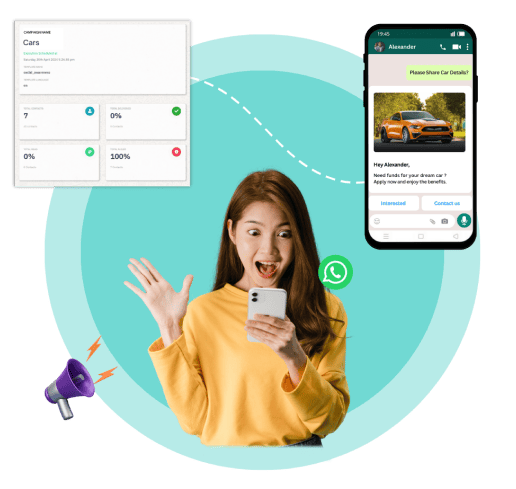
Use variables such as first name or order number in your template so each recipient sees a message tailored to them.
Step 3: Match the offer to the segment
Align the message and offer with what each segment actually cares about, so the campaign feels helpful rather than generic.
Step 4: Preview a personalized message
Preview how the message looks with real values filled in, and test with your own details to confirm variables populate correctly.
Step 5: Measure by segment
Compare results across segments to learn which audiences and messages perform best, then refine future campaigns.
Helpful next reads
WhatsApp personalization guide, WhatsApp customer segmentation guide, How to create a broadcast campaign.
Frequently asked questions
How do I personalize WhatsApp messages in WapBlaster?
Use dynamic variables such as first name or order number in your template, and target relevant audience segments so each recipient gets a tailored message.
What are audience segments used for?
Segments group contacts by interest, lifecycle or purchase history so you can send more relevant campaigns instead of the same message to everyone.
How do I check variables populate correctly?
Preview the message with real values and send a test to your own details to confirm the variables fill in as expected before the campaign goes out.