

IndiaMART Leads on WhatsApp: How to Automate First Responses With WapBlaster
An IndiaMART enquiry is most valuable while the buyer is still comparing suppliers. If a lead arrives and the first useful response takes hours, the customer can easily move on to another seller. A reliable workflow connects the enquiry to the right team, sends a helpful WhatsApp response quickly, and keeps the conversation visible until there is a clear next step.
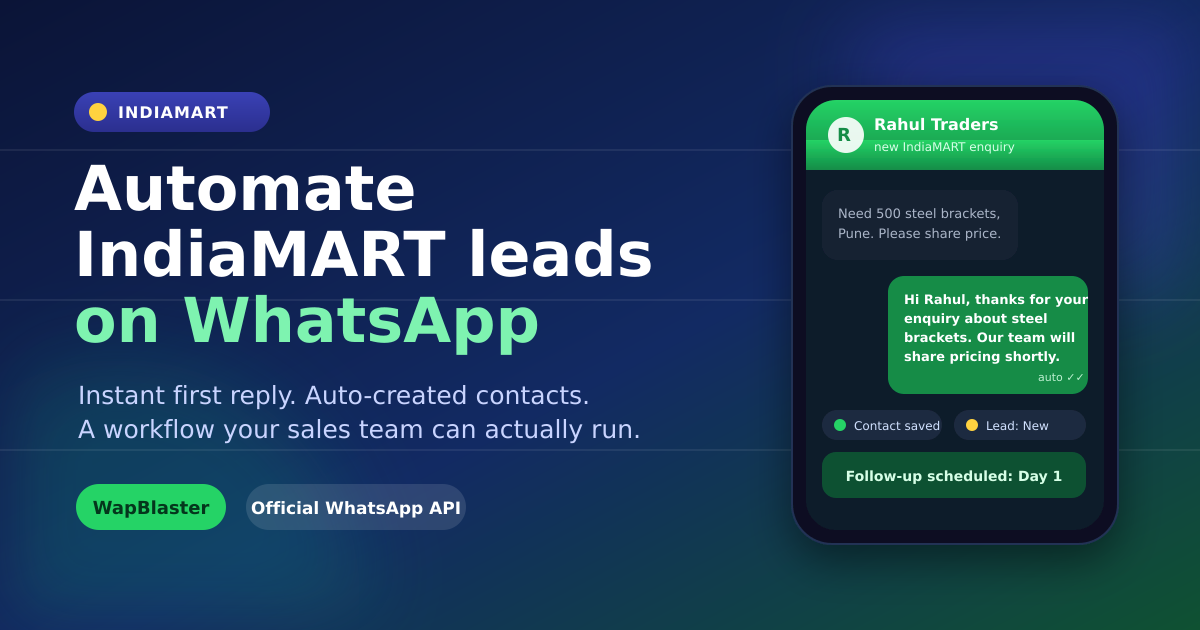
WapBlaster's IndiaMART integration is designed for that workflow. It can receive IndiaMART leads through a webhook, make the lead visible in the IndiaMART Leads area, create a contact, apply an IndiaMART Lead label, and send an approved WhatsApp template when the automation is enabled. The goal is not to replace the sales conversation. The goal is to remove the delay and manual copying that causes good enquiries to go cold.
What an IndiaMART-to-WhatsApp lead workflow should do
A useful lead automation should do more than send a generic "thank you" message. It should preserve the information the buyer already shared and give a salesperson enough context to respond intelligently. Start with five outcomes:
- Receive the IndiaMART enquiry in one dependable place.
- Respond with an approved, relevant WhatsApp template without making the buyer wait.
- Map the lead's name, product or service enquiry, and original message into the first response.
- Create a searchable contact record that your team can work from.
- Track whether the enquiry is new, contacted, qualified, or needs another action.
That structure creates a faster first response without losing accountability. It also gives the business a repeatable process for peak enquiry periods, weekends, and teams that share the same WhatsApp number.
Step 1: Connect the IndiaMART lead source carefully
In WapBlaster, begin in the IndiaMART integration settings. Configure the webhook details supplied for your account and test with a real or controlled enquiry before switching on automation. A successful test should show the buyer's details and enquiry data in the IndiaMART Leads view.
Do not treat a marketplace enquiry as blanket permission for unrelated marketing messages. The first response should address the exact product or service requested. For any business-initiated WhatsApp message, use the required approved template and follow the current WhatsApp Business Platform policies and applicable privacy requirements.
This distinction protects lead quality. A buyer who asks about an industrial part should receive a response about that part, not a broad promotion for every product in your catalogue.
Step 2: Set up an automatic WhatsApp welcome message
WapBlaster lets you select an approved welcome-message template and choose a delay from immediate delivery to a later time. For most high-intent enquiries, an immediate acknowledgement is the practical starting point. Use a short delay only when it supports your team's operating hours or the lead-routing process.
The IndiaMART automation screen maps template variables to the lead information automatically:
- Variable 1: lead name.
- Variable 2: product or service enquired about.
- Variable 3: the enquiry message.
- Variable 4: your company name from vendor settings.
Write a template that makes those fields useful. A simple example is: "Hello {{1}}, thanks for your enquiry about {{2}}. We received your requirement: {{3}}. Our team from {{4}} will help with the right option and pricing." Keep the wording conversational, accurate, and focused on the stated enquiry.
Step 3: Turn every valid enquiry into a workable contact
Enable automatic contact creation so a new lead is not stranded in an export file or a salesperson's inbox. WapBlaster can save the available phone number, name, and email and label the record as an IndiaMART Lead. That label is useful later when you need to segment operational follow-ups, review source quality, or hand enquiries to a specific team.
Contacts should be treated as records that need context, not merely a list for broadcasts. Add notes after a call, update lead status, and keep the source information intact. The customer should never have to repeat their requirement because the team lost the original enquiry.
Step 4: Give sales ownership and a next action
Automation gets the conversation started; a person still needs to qualify the opportunity. Decide who owns a new IndiaMART lead, what a qualified lead looks like, and when a lead should be marked contacted, quoted, won, or not a fit. WapBlaster's IndiaMART Leads area supports lead lists, statistics, detail review, status updates, and export so managers can monitor the process instead of relying on memory.
For teams that receive many enquiries, use the IndiaMART WhatsApp lead management workflow to define assignment, status discipline, and escalation. If the buyer needs more information later, the salesperson can continue in the same WhatsApp conversation with the original context available.
Build the first response around buyer intent
The most effective first response confirms what the buyer asked for and offers one simple next step. Avoid sending a long catalogue or multiple unrelated links immediately. Ask one qualifying question that helps the salesperson prepare a useful answer, such as quantity, delivery city, specification, application, or expected buying timeline.
For example, a machinery supplier might ask: "To suggest the right model, could you share the required capacity and delivery location?" A service provider could ask: "Would you like a quote, a callback, or a short demo?" This keeps the conversation moving while respecting the buyer's time.
Use automation with a compliant operating model
Use approved templates where WhatsApp requires them, keep messages relevant to the IndiaMART enquiry, provide a clear way for people to stop receiving messages where applicable, and avoid repeated follow-ups without value. Review the current WhatsApp Business Messaging Policy and template rules before launching a campaign. Compliance improves quality as well as account health: relevant messages produce better replies than indiscriminate volume.
When you are ready to build a structured nurture process, read the IndiaMART WhatsApp follow-up guide. For a broader overview of the messaging foundation, see WapBlaster's WhatsApp Business API solution and the WhatsApp chatbot guide.
Measure the workflow, not just message volume
Track operational metrics that reveal whether leads are being handled well: time to first response, percentage of new leads contacted, conversation-to-quote rate, qualified-lead rate, and the number of stalled enquiries. If response time is fast but quote conversion is weak, improve product qualification. If many leads are never contacted, improve ownership and notifications before adding more automation.
A good IndiaMART workflow turns every valid enquiry into a visible task, an appropriate first WhatsApp response, and a measurable sales opportunity.
Frequently asked questions
Can WapBlaster automatically send WhatsApp messages to new IndiaMART leads?
Yes. After the IndiaMART integration and an approved WhatsApp template are configured, WapBlaster can send an automatic welcome message to a new lead using mapped lead details such as name, product enquiry, message, and company name.
How fast should an IndiaMART lead receive a first WhatsApp response?
Respond while the enquiry is fresh whenever your operating process allows it. An immediate acknowledgement followed by a helpful human reply is usually more useful than making the buyer wait for a manual update.
Does an IndiaMART enquiry automatically allow promotional WhatsApp broadcasts?
No. Keep the first message relevant to the specific enquiry and follow the current WhatsApp Business Platform rules, including template requirements and any consent or privacy obligations that apply to your business.
What should the first IndiaMART WhatsApp message ask?
Confirm the requested product or service and ask one useful qualifying question, such as quantity, required specification, delivery location, budget range, or preferred callback time.
Ready to shorten the gap between an IndiaMART enquiry and a useful conversation? Start with WapBlaster or talk to the team about your lead workflow.