

One rule quietly governs almost everything you send on the WhatsApp Business API: the 24-hour customer service window. Understand it and your messaging is simple and cheap. Ignore it and you face rejected sends, higher costs and confused customers. This guide explains session messages, template messages and the window that separates them, in plain language.
What the 24-hour window is
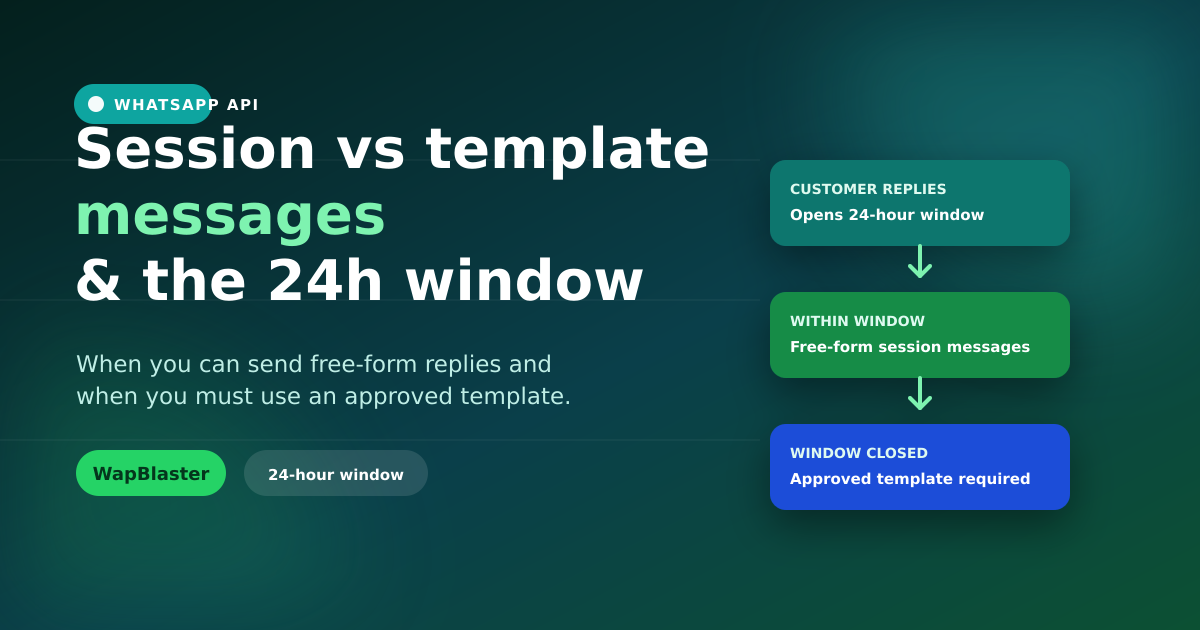
Whenever a customer messages you, a 24-hour window opens. Inside it, you can reply with free-form "session" messages — any text, media or interactive content, no template needed. When the window closes, you can only re-open the conversation with a pre-approved template message.
Session messages
Session messages are your normal, human replies inside the open window.
- Free-form: text, images, documents, buttons and lists with no pre-approval.
- Best for: live support, sales conversations, answering questions.
- Resets: each new customer message restarts the 24-hour clock.
Template messages
Template messages are pre-approved formats used to start a conversation or to message someone after the window has closed.
- Pre-approved: submitted to Meta and reviewed before use — see the approval guide.
- Best for: order updates, reminders, promotions, re-engagement.
- Categorised: Marketing, Utility or Authentication, which affects pricing.
A simple way to remember it
- They messaged you recently? Reply freely with session messages.
- You are starting the chat, or it has been over 24 hours? Use a template.
How the window affects cost
Meta prices conversations by category, and templates fall into Marketing, Utility or Authentication buckets. Free-form replies inside the window are part of the ongoing service conversation. Knowing when a template is required — and which category applies — keeps your costs predictable. Our conversation pricing guide breaks this down in detail.
Common mistakes to avoid
- Trying to send free text after 24 hours: it will fail; you need a template.
- Using a Marketing template for a simple order update: wrong category, higher cost and possible rejection.
- Ignoring the window in automations: build flows that detect whether the window is open and switch to a template when it is not.
How WapBlaster handles it for you
A good platform tracks the window automatically. WapBlaster knows whether a contact is inside the 24-hour window and helps you send the right message type, so your team is not manually checking timers. Combine this with interactive messages for replies that convert.
Frequently asked questions
What happens after the 24-hour window closes?
You can no longer send free-form session messages. To reach the customer again you must send a pre-approved template message. As soon as they reply, a new 24-hour window opens and you can message freely again.
Do I need a template to reply to a customer?
Not if they messaged you within the last 24 hours. Inside that window you can reply with free-form session messages. You only need a template to start a conversation or to message after the window has closed.
Are session messages cheaper than templates?
Pricing is based on conversation category rather than whether a message is session or template. What matters is choosing the correct template category when you do need one, since Marketing, Utility and Authentication are priced differently.
Does every customer reply reset the window?
Yes. Each inbound message from the customer restarts the 24-hour clock, giving you a fresh window to respond with free-form session messages.
Send the right message every time. Explore the WhatsApp Business API or start with WapBlaster.